5 Warning Signs Your Server Room Electrical System Is Failing
EME, LLC • August 19, 2026
Commercial data centers require an absolute steady flow of electricity to protect sensitive hardware and prevent catastrophic data loss. Even a minor fluctuation in power can corrupt hard drives, interrupt automated processes, and cost a business thousands of dollars in downtime. EME, LLC specializes in commercial electrical services that keep industrial server rooms running smoothly around the clock. Recognizing the early symptoms of electrical strain is the best way to avoid a total system failure.
Waiting for the power to completely drop out is a massive operational risk that facility managers cannot afford to take. Server racks and industrial cooling units place a massive, continuous demand on building infrastructure. When you know exactly what to look for, you can schedule targeted data center electrical services before a minor issue becomes a major emergency. Catching these warning signs early protects your equipment and your bottom line.
What We Cover:
1. Tip #1: Watch For Unexplained Voltage Sags
2. Tip #2: Listen For Humming At The Breaker Panel
3. Tip #3: Monitor For Excessive Heat Build Up
4. Tip #4: Track Your Backup Power Switchovers
5. Tip #5: Check For Flickering Or Dimming Lighting
6. Frequently Asked Questions
Tip #1: Watch For Unexplained Voltage Sags
Voltage sags occur when heavy equipment pulls too much current at startup, temporarily starving sensitive server racks of the power they need. In a commercial setting, these brief drops in voltage degrade power supplies inside server chassis over time. You need to monitor power quality consistently to catch these hidden drops before they fry expensive logic boards.
• Hardware Reboots: Servers restarting randomly often indicate a momentary drop in voltage rather than a software error.
• Equipment Lifespan: Power supplies failing well before their warranty expires is a classic sign of chronic voltage sags.
• UPS Activation: If your uninterruptible power supplies are constantly clicking over to battery for just a few seconds, the main feed is unstable.
Tip #2: Listen For Humming At The Breaker Panel
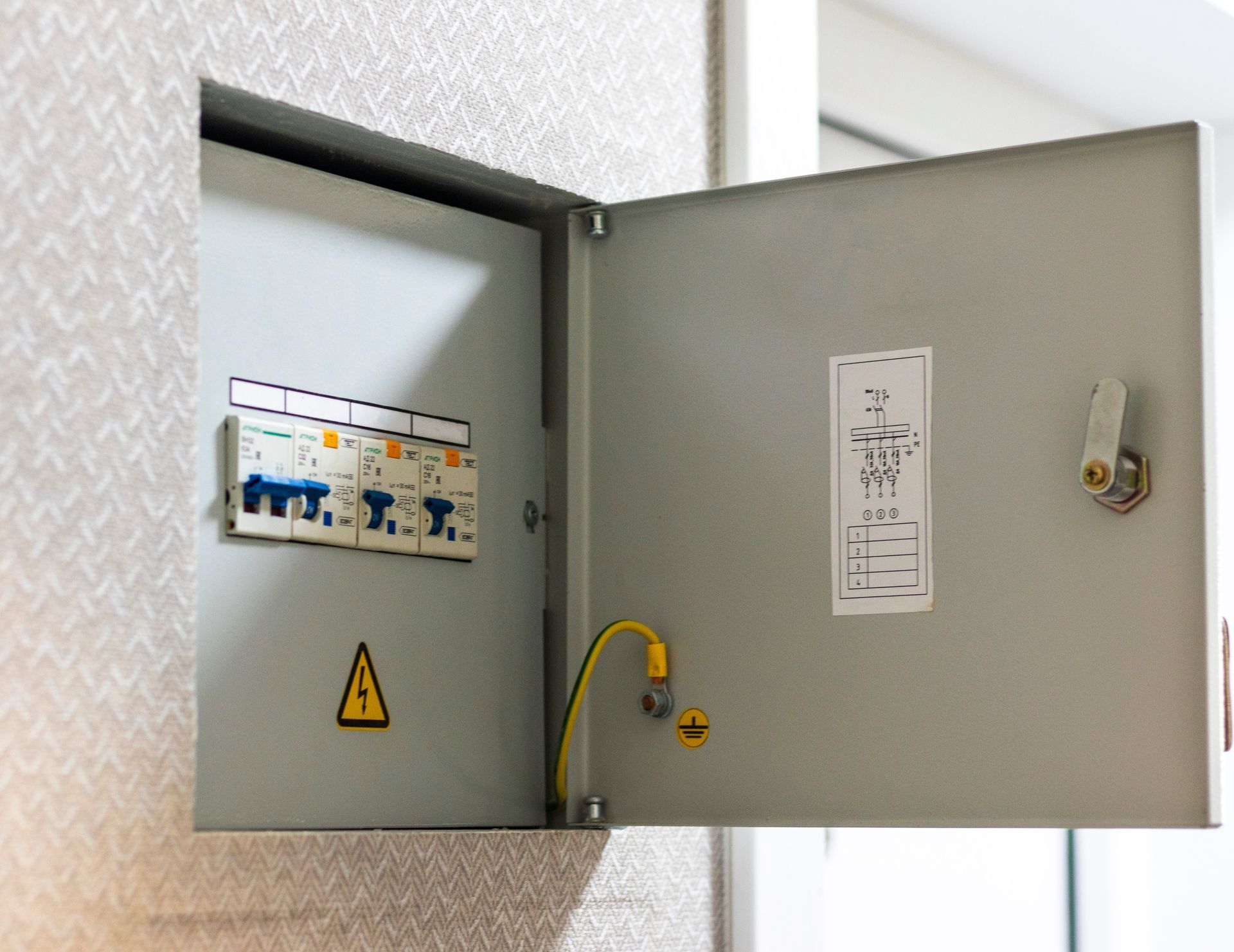
A healthy commercial breaker panel should operate silently under normal load conditions. When you hear a distinct buzzing or humming sound coming from the switchgear, it usually means alternating current is arcing across degraded internal contacts. This is a severe fire hazard that requires immediate commercial electrical services.
• Thermal Expansion: Breaker contacts loosen over years of heating up and cooling down under heavy server loads.
• Micro Arcing: The humming sound is physically created by electricity jumping across microscopic gaps in worn metal connections.
• Immediate Action: Never ignore panel noise, as it is a direct precursor to a melted breaker and total phase loss.
Tip #3: Monitor For Excessive Heat Build Up
Data centers in Anoka, MN generate a massive amount of heat, but that heat should come from the processing units, not the wall wiring. Wires and receptacles that feel warm to the touch indicate resistance in the electrical path, which wastes energy and degrades the insulation. Properly sized wiring for continuous commercial loads should remain cool even during peak processing hours.
• Infrared Scanning: Professionals use thermal imaging to find hot spots inside conduits and panels that are invisible to the naked eye.
• Melted Insulation: A faint smell of burning plastic near power whips means the copper is exceeding its thermal rating.
• Load Balancing: Heat buildup often points to an unbalanced electrical panel where one phase is doing all the heavy lifting.
Tip #4: Track Your Backup Power Switchovers
Your backup generator and battery arrays are designed to take over smoothly during a total utility failure. However, if your system is cycling onto backup power when the grid is still active, your facility switchgear is likely failing to transfer voltage correctly. Tracking these unnecessary switchovers helps pinpoint faulty relays in your main transfer switch.
• Relay Wear: Every time a transfer switch actuates unnecessarily, it wears down the heavy copper contacts inside the housing.
• Battery Drain: Constant micro cycling degrades UPS battery cells prematurely, leaving you vulnerable during an actual blackout.
• Sync Issues: Generators kicking on out of phase with the grid can cause massive power spikes when returning to utility power.
Tip #5: Check For Flickering Or Dimming Lighting
While server racks run on dedicated circuits, the ambient lighting in your facility can still act as an early warning system for main service issues. If the overhead lights dim when large cooling units turn on, your main service entrance is bottlenecking the power supply. This indicates that your building is outgrowing its current electrical capacity.
• Shared Neutrals: Lighting issues in industrial spaces often point to improperly shared neutral wires feeding back into the system.
• Motor Draw: Heavy cooling compressors pulling too much startup amperage will steal voltage away from the lighting circuits.
• Service Upgrades: Dimming lights are a clear indicator that you need an electrical service and panel upgrade to handle facility expansion.
Frequently Asked Questions
How often should data center backup power systems be tested?
Commercial backup generators and UPS arrays should undergo a full load bank test at least once a year. This prevents a phenomenon known as wet stacking in diesel generators and ensures battery cells can actually hold a charge under stress. Routine testing proves the transfer switch will actuate fast enough to prevent server dropouts.
What causes dangerous voltage sags in commercial server rooms?
Voltage sags are frequently caused by undersized feed wires struggling to supply large inductive loads like industrial air conditioning compressors. When the compressor motor starts, it demands a huge influx of current, pulling voltage away from the server racks sharing the main distribution panel. Upgrading the feed wires reduces this resistance and stabilizes the voltage.
Can outdated wiring slow down heavy duty data center cooling units?
Yes, outdated or undersized wiring creates voltage drop, which forces cooling unit motors to run hotter and slower than their design specifications. This lack of proper voltage prevents the compressors from achieving peak efficiency, leading to inadequate cooling and higher energy bills. Correcting the wire gauge ensures the cooling system receives the full amperage required to protect the server room.
Securing Your Commercial Power Supply
Catching these electrical warning signs early is the key to maintaining uptime and protecting your valuable data center hardware. When you address voltage sags, panel noise, and heat buildup proactively, you eliminate the threat of sudden and costly power outages. Protecting your commercial infrastructure requires an experienced team that understands the unique demands of high density server environments. Contact us today to schedule a thorough electrical evaluation of your facility.
Share This Blog